
Most AI tools still live inside a chat window. You ask something, you get an answer, and the interaction ends there. OpenClaw works differently. It sits closer to your actual workflow, connected to tools, files, and messaging apps, quietly handling tasks that would normally require constant checking or manual follow-up.
What makes the conversation around OpenClaw interesting is not the technology itself, but how people end up using it once the novelty wears off. The useful examples are rarely dramatic. They are small automations that run every day, like summarizing emails, watching systems for problems, or turning scattered inputs into something organized. Over time, those small pieces add up. This article looks at practical OpenClaw use cases, focusing on where it fits naturally into real work and everyday routines rather than theoretical possibilities.
Understanding OpenClaw as an AI Agent
The simplest way to understand OpenClaw is to stop thinking about it as a chatbot. A chatbot responds when you ask something. An AI agent continues operating after the interaction ends. Once configured, OpenClaw can monitor systems, trigger actions, and perform tasks without needing constant input.
This distinction changes expectations. Instead of generating answers, the system manages processes. Messages become instructions that initiate workflows rather than isolated prompts.
For many users, the shift feels subtle at first. The difference becomes clear when routine actions stop requiring manual attention.
How the Agent Model Changes Daily Work
Traditional software requires users to open applications and check status updates. OpenClaw reverses that relationship. Information and actions come to the user only when necessary.
This approach reduces context switching, which is often the hidden cost of modern digital work. Checking dashboards, scanning inboxes, or confirming system health may only take a few minutes at a time, but those interruptions add up. An agent absorbs those tasks and surfaces only what matters.
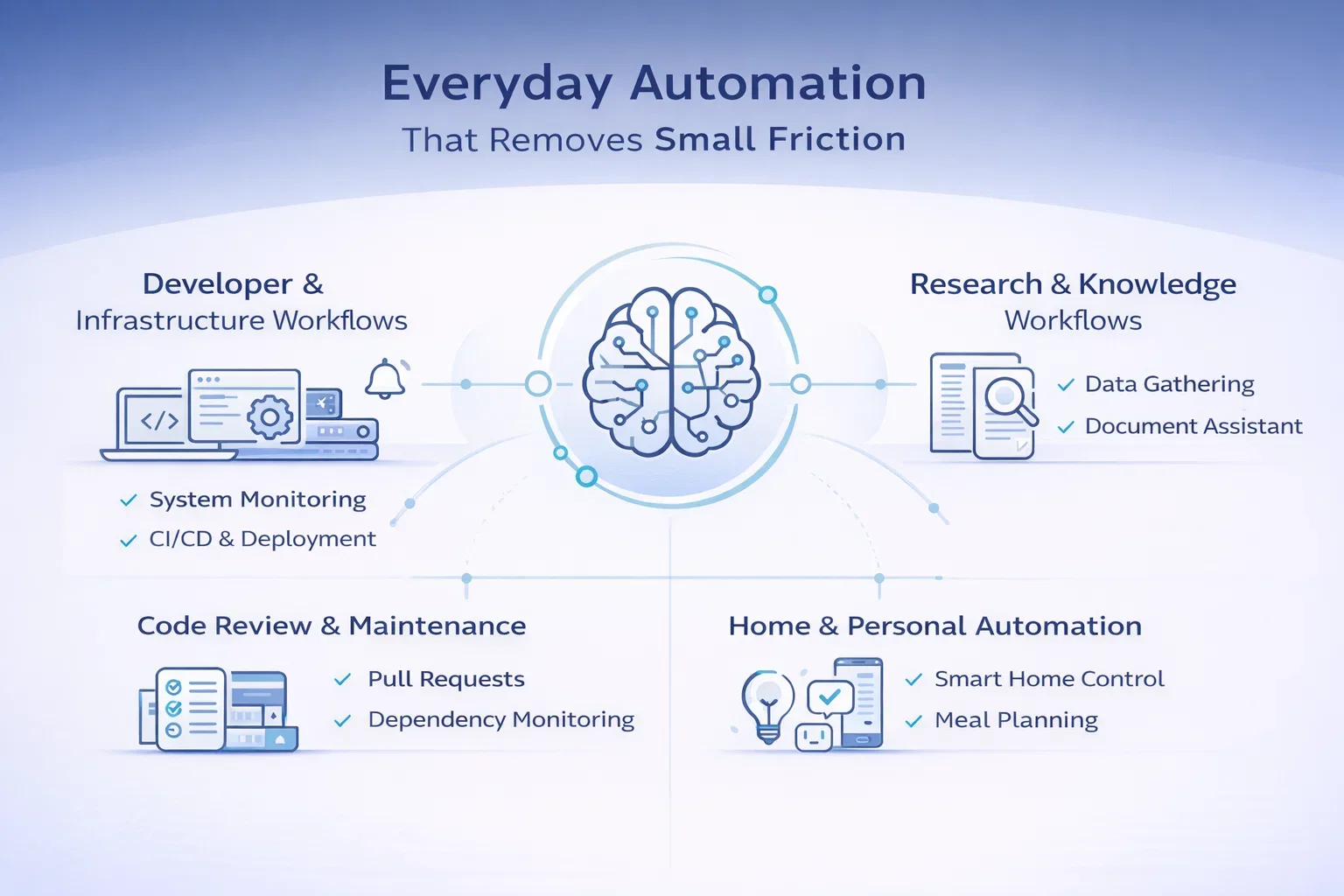
Everyday Automation That Removes Small Friction
A large part of OpenClaw’s appeal comes from how it handles small, repetitive tasks that rarely feel important on their own but quietly interrupt the day. Most people do not set out to automate everything. They start by removing a few annoyances, then gradually notice how much smoother routines become when certain steps happen automatically. What ties these use cases together is not complexity but continuity. The agent supports existing habits instead of forcing new ones.
1. Personal Routines and Daily Awareness
One of the most common starting points is the morning brief. OpenClaw gathers weather updates, calendar events, and key headlines into a short summary delivered at a fixed time. The benefit is not the information itself. It is the reduction in decision fatigue at the start of the day. Instead of opening multiple apps, the essentials arrive in one place.
The same logic applies to shared household coordination. Shopping lists built directly from chat messages prevent reminders from disappearing inside conversations. Someone mentions milk or batteries in passing, and the item simply appears on the list. These setups succeed because they remove small coordination failures rather than solving technical problems.
Personal capture works in a similar way. Voice notes recorded throughout the day can be turned into structured journal entries without extra effort. OpenClaw organizes scattered thoughts into readable summaries, making reflection easier without changing how people naturally capture ideas. Across these examples, automation works because it fits into behavior that already exists.
2. Communication and Inbox Management
Email Summarization and Prioritization
Email remains one of the largest sources of low value work. Sorting messages and identifying urgency takes time even when nothing critical is happening. OpenClaw summarizes unread emails, highlights items that need attention, and suggests draft replies while keeping the user in control of final decisions.
Drafting Responses and Community Interaction
Community managers and support teams often use OpenClaw to prepare response drafts for common questions. Instead of writing every reply from scratch, the agent creates a starting point that can be reviewed and adjusted, improving speed without losing a human tone.
Monitoring Brand Mentions and Feedback
OpenClaw can also monitor brand mentions across platforms, summarize sentiment, and flag conversations that require attention. This reduces manual searching and helps teams respond earlier during active periods or product launches.
3. Content and Creative Workflows
Content creation benefits from automation in less obvious ways. Much of the work happens before writing begins, when ideas are still unstructured. OpenClaw is often used to generate topic ideas, outlines, or starting angles that help overcome the blank page problem. The goal is not perfect output but momentum.
Repurposing content is another common workflow. A single article can be adapted into social posts, email summaries, or short scripts suited for different platforms. The message stays consistent while formatting changes automatically, allowing creators to stay present across channels without repeating the same work.
Some users also connect image generation tools for supporting visuals. Instead of opening design software for routine graphics, images can be generated using predefined style instructions. This approach works best for everyday publishing needs rather than primary design work, but it removes friction from regular content production.
4. Business Operations and Workflow Automation
Inside business environments, OpenClaw often handles processes that follow predictable patterns. Client onboarding is a clear example. When a new client signs on, the agent can create folders, send welcome emails, and schedule follow-ups automatically. The process becomes consistent without relying on memory or manual checklists.
Administrative work benefits as well. Receipt processing can convert photos into structured spreadsheet entries, reducing manual data entry. Over time, categorization improves as patterns repeat, turning a tedious task into a background process.
Reporting workflows follow a similar logic. Instead of manually compiling updates, OpenClaw collects metrics from dashboards and sends summaries to team channels on a schedule. Information reaches people without requiring them to open analytics tools, making reporting feel continuous rather than interruptive.
5. Developer and Infrastructure Workflows
System Monitoring and Alerts
Developers often use OpenClaw to monitor system metrics such as disk usage or CPU load. Alerts are sent only when thresholds are exceeded, replacing periodic manual checks with continuous awareness.
CI/CD and Deployment Awareness
OpenClaw can watch build pipelines and notify teams when deployments succeed or fail. Updates arrive directly in messaging channels, allowing developers to focus on development rather than monitoring dashboards.
Code Review Support and Maintenance
Pull request summaries help developers understand changes quickly before reviewing code in detail. Dependency monitoring adds another layer by identifying outdated packages and suggesting upgrade paths.
6. Research and Knowledge Workflows
Research often involves gathering information from multiple sources before making a decision. OpenClaw can handle early-stage research by collecting data, comparing options, and producing structured summaries that highlight tradeoffs. The user still makes the final decision, but the preparation stage becomes faster and more consistent.
When combined with local models or document storage, OpenClaw also works as a private document assistant. Contracts, reports, and internal documents can be summarized or searched without sending sensitive data to external services. For teams dealing with confidential information, this balance between automation and control is often the main advantage.
7. Home Automation and Personal Systems
Outside of work, OpenClaw often acts as a simple connector between existing tools. Because interaction happens through messaging interfaces, it can serve as a unified control layer for smart home devices. Commands sent through chat trigger routines like adjusting lights or switching devices on and off, reducing the need to switch between multiple apps or dashboards.
Planning workflows connect naturally as well. Meal planning can generate grocery lists that feed directly into shared household systems, linking personal organization with everyday automation. The value here comes from simplification rather than complexity.
Common Examples
- Controlling lights, plugs, or heating through simple chat commands
- Triggering home routines based on time or reminders
- Generating weekly meal plans from preferences or available ingredients
- Automatically creating grocery lists from selected meals
- Connecting household reminders with shared messaging apps
These examples highlight an important point. AI agents rarely replace tools entirely. More often, they connect systems that were never designed to work together, making everyday routines feel more coordinated without adding new layers of effort.
Understanding the Risks and Limits
OpenClaw’s flexibility comes with responsibility. An agent that can access files, execute commands, or control integrations needs careful configuration from the start. Most experienced users begin with limited permissions and expand gradually. Running the agent with restricted access reduces risk while still allowing useful automation.
At the same time, not every task benefits from automation. Some areas are better handled manually, especially where mistakes can have real consequences. The most stable setups treat OpenClaw as an assistant with clear boundaries rather than a fully autonomous system.
Risk Areas and Practical Guardrails
| Area | Potential Risk | Recommended Approach |
| System Access and Commands | Incorrect or unsafe commands can affect system stability or delete data | Run the agent as a restricted user and allow only approved commands |
| API Keys and Integrations | Misconfigured access can expose sensitive data or trigger unintended actions | Store credentials securely and connect integrations gradually |
| Browser Automation | External websites may contain hidden instructions or unexpected behavior | Limit automation to trusted internal tools and avoid sensitive workflows |
| Financial or Account Actions | Errors can lead to payments, account changes, or irreversible actions | Keep financial operations and critical account changes manual |
| Data Access and Privacy | Broad access increases the impact of mistakes or leaks | Grant only the minimum permissions required for each workflow |
The goal is not to avoid automation but to apply it carefully. OpenClaw works best when automation supports decision making instead of replacing it entirely.
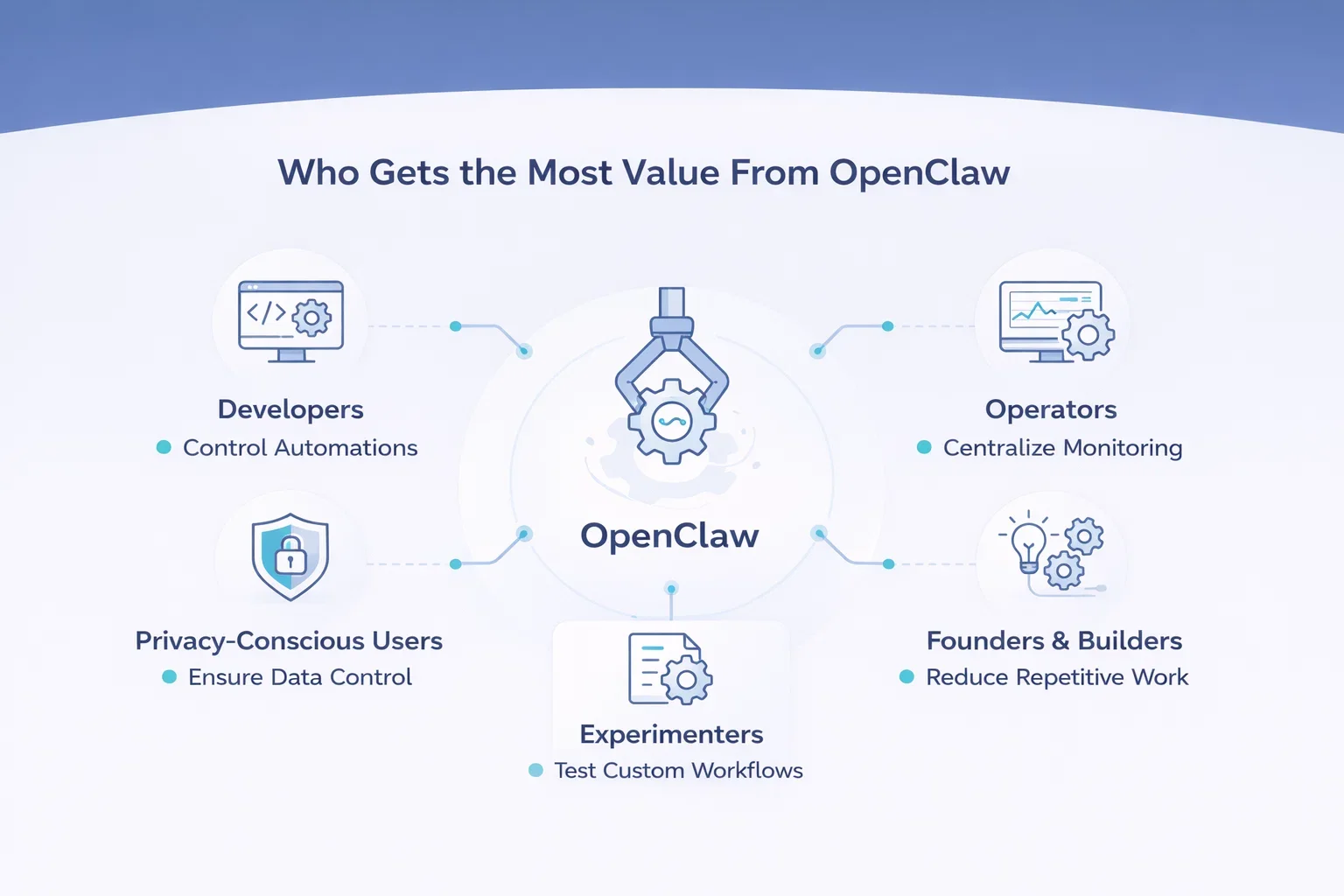
Who Gets the Most Value From OpenClaw
OpenClaw tends to work best for people who are comfortable experimenting with workflows and configuration. The platform rewards users who already recognize where automation can remove friction and are willing to invest time in setting things up properly.
It is typically a strong fit for:
- Developers who want deeper control over automation, integrations, and system behavior
- Operators managing multiple tools or environments who benefit from centralized monitoring and execution
- Technically inclined founders or builders looking to reduce repetitive operational work
- Privacy conscious users who prefer local execution and direct control over data and credentials
- Experimenters exploring agent-based workflows and custom automation setups
On the other hand, users expecting fully visual interfaces or instant setup may find the experience challenging. Flexibility comes at the cost of simplicity, and OpenClaw assumes a certain level of comfort with configuration and gradual experimentation.

Building AI Solutions Beyond Individual Automation with AI Superior
At AI Superior, we see tools like OpenClaw as part of a broader shift in how businesses adopt artificial intelligence. Individual automation can remove friction, but long-term value comes when AI is designed as part of a larger system that supports decision-making and daily operations.
We focus on end-to-end AI development and consulting, helping organizations move from experimentation to reliable production solutions. Our team of data scientists and engineers works closely with clients to identify where AI can create real impact, whether through machine learning applications, natural language processing, or predictive analytics. By combining technical expertise with a structured development approach, we help businesses integrate AI into existing workflows in a practical and sustainable way.
Final Thoughts
OpenClaw use cases rarely look impressive on their own. A summarized inbox, an automated report, a system alert. None of these sound revolutionary in isolation. The impact appears when several of them run together, quietly reducing the effort required to keep work organized.
What stands out today is how grounded these implementations already are. People are not building science fiction assistants. They are solving ordinary problems in ways that make daily work slightly easier.
That may be the most realistic direction for AI agents right now. Not replacing people, but removing the small pieces of friction that slow everything else down.
FAQ
What is OpenClaw used for?
OpenClaw is used to automate tasks across tools, files, and communication platforms. People commonly use it for daily briefings, email summarization, content preparation, workflow automation, infrastructure monitoring, and research assistance. Its main purpose is to reduce repetitive work while keeping the user in control of decisions.
How is OpenClaw different from regular AI chat assistants?
Traditional AI chat assistants mostly generate responses within a conversation. OpenClaw goes further by executing actions. It can interact with files, run commands, connect to external tools, and continue working in the background, which makes it closer to an operational assistant than a chatbot.
Does OpenClaw run locally or in the cloud?
OpenClaw can run locally on a personal machine or on a server such as a VPS. Many users choose server deployment so automations can run continuously without keeping a personal device online. Local execution is often preferred by users who want more control over data and integrations.
Do you need technical knowledge to use OpenClaw?
Basic technical understanding helps. Installation and configuration often involve command line setup, integrations, and permission management. While simple workflows are accessible, more advanced use cases usually require experimentation and familiarity with automation concepts.
Is OpenClaw safe to use?
OpenClaw can be safe when configured carefully. Most risks come from granting excessive permissions or enabling automation without clear limits. Users typically reduce risk by running the agent with restricted access, limiting allowed actions, and reviewing automation outputs before execution.
 English
  German
  Arabic
  French
  Dutch
Dutch  Spanish