
Most businesses today aren’t asking if they need an AI agent. They’re asking how much it’ll cost to build one that actually works. Not a toy chatbot, but a custom agent that fits your workflow, uses your data, and delivers results without spiraling out of scope.
Prices can range from something you can budget in a startup seed round to numbers that make CFOs pause. In this guide, we’ll break down the real costs behind custom AI agent development – what you’re paying for, what often gets missed, and how to think clearly about ROI from day one.
What Is a Custom AI Agent and How Much Does It Cost?
A custom AI agent is a purpose-built system designed to perform tasks intelligently and independently within a specific business environment. Unlike basic bots that follow scripts or answer FAQs, these agents can make decisions, interact with live data, adapt to changing inputs, and often connect with internal tools or databases.
You might use a custom AI agent to automate customer support, analyze documents, manage internal workflows, or even predict outcomes based on historical trends. Some agents are lightweight and focused on a single job. Others are complex, operating across multiple systems with built-in reasoning and error recovery.
As for cost, there’s no fixed number, it depends on what the agent needs to do. Depending on complexity, data requirements, and integration depth, custom AI agent development in 2026 ranges from as low as $5,000 to over $300,000. Simpler agents that perform narrow tasks tend to fall on the lower end of that range. More advanced systems that require autonomy, integrations with legacy software, or strict compliance features often push into six-figure territory.
In short: the more the agent needs to think, act, and integrate without human help, the more budget you’ll need to bring it to life.

Our Development Approach at AI Superior
At AI Superior, we specialize in building AI-powered software tailored to each client’s specific business objectives. We don’t offer one-size-fits-all systems. Every project starts with a collaborative discovery process where we define the problem, assess available data, and determine whether AI is the right solution. This helps us set clear expectations and align on both scope and cost.
Our team includes data scientists and experienced software engineers who handle the full development cycle – from initial proof of concept through integration and evaluation. Whether we’re working on a computer vision tool, a natural language model, or a predictive analytics system, the goal is always the same: to build something useful, accurate, and aligned with real operational needs.
We follow a structured workflow that includes early MVP validation and scalable deployment. Throughout the process, we prioritize transparency, technical rigor, and flexibility to keep the project on track and grounded in results.
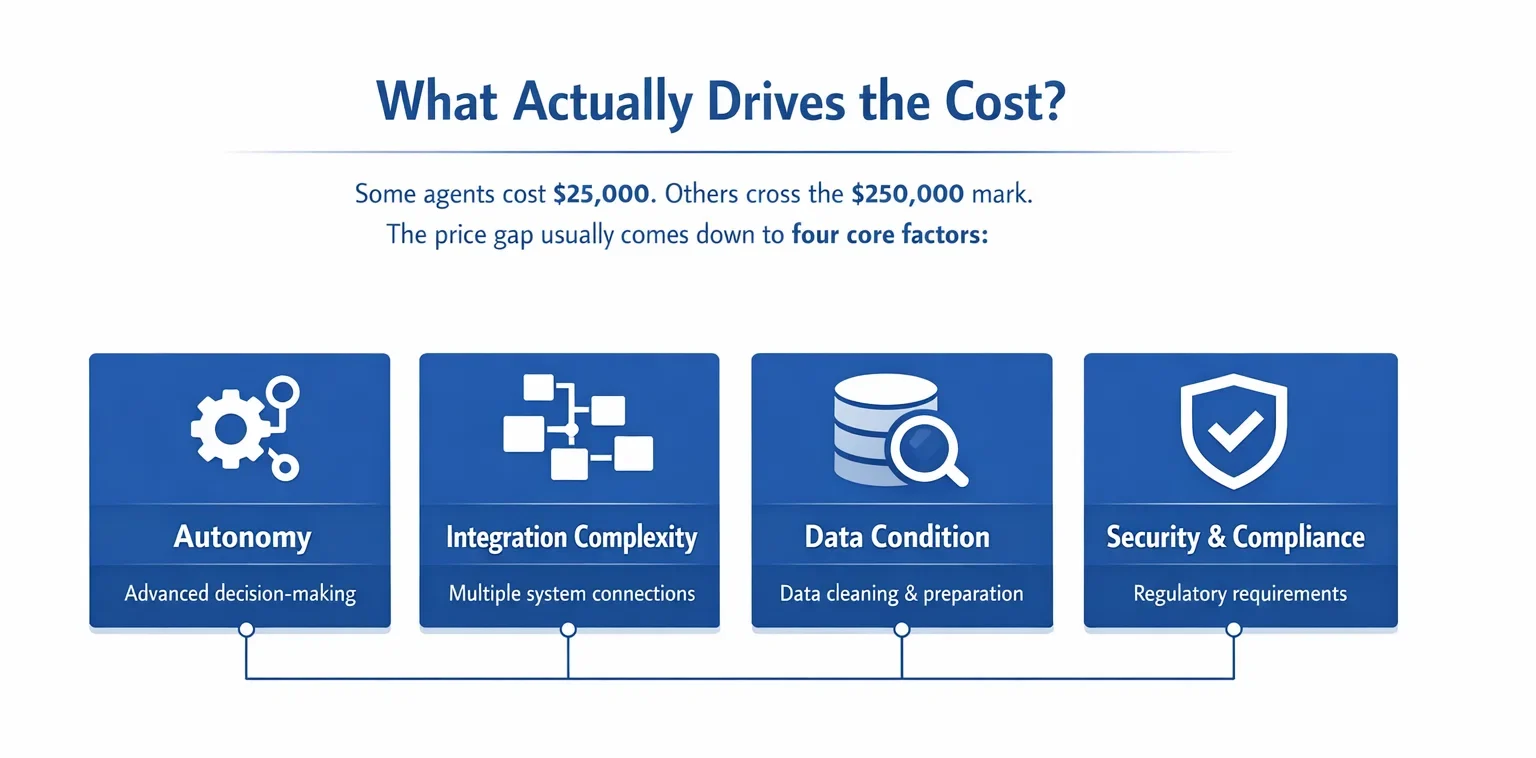
What Actually Drives the Cost?
Some agents cost $25,000. Others cross the $250,000 mark. The price gap usually comes down to four core factors:
1. Autonomy
The more independent the agent needs to be, the more expensive it gets. A basic agent that follows fixed scripts or rules doesn’t need much logic – it’s mostly about setting up triggers and responses. But once you step into autonomy, you’re designing systems that can reason, plan, make tradeoffs, and respond to the unexpected.
Let’s say your agent needs to decide whether to escalate a support ticket or resolve it. That means it needs context awareness, some form of judgment, and the ability to explain its actions. Now you’re talking about layers of decision logic, fallback mechanisms, memory, and sometimes even planning loops. All of that takes time to build, test, and refine, and more importantly, to trust.
2. Integration Complexity
Integrations are where AI agents meet the real world. Some are quick wins. A modern API like Slack or Google Sheets might take a day or two to connect. But the moment you’re dealing with an old ERP, a custom CRM, or a system with poor documentation, development slows down.
Each system has its own quirks, data formats, security layers, and failure modes. And with every additional integration point, there’s more testing, more risk, and more places things can break. Integration complexity doesn’t just affect time – it directly shapes how reliable the final agent will be in production.
3. Data Condition
A good AI agent depends on clean, usable data. But in many real-world scenarios, that’s not what you start with. You might have PDFs, spreadsheets, chat logs, legacy databases – all with inconsistent formatting, missing values, or overlapping labels.
Before you train anything, you’ll likely need to clean it, restructure it, label it, and sometimes even manually verify it. That step alone can burn through 30-40% of your total budget, especially if domain knowledge is required. Poor data quality isn’t just a one-time cost either, it increases the chance of drift or model failure down the line.
4. Security and Compliance
If your agent touches regulated data – medical records, financial transactions, user identities – you’re now entering the world of compliance. That changes everything.
You’ll need audit trails, access controls, secure storage, and explainable decision-making. You might also need approvals from legal or compliance teams, detailed documentation, and validation procedures before the agent can go live.
These aren’t “nice to have” extras. In finance, healthcare, or government, they’re required by law. And implementing them adds engineering overhead that directly impacts both the build timeline and the long-term maintenance cost.
AI Agent Costs by Type
Here’s a rough breakdown of what different types of AI agents might cost in 2026:
| Agent Type | What It Does | Estimated Cost |
| Basic Task Agent | Rule-based tasks like scheduling or data entry | $5K – $20K+ |
| Workflow Agent | Reads messages, pulls data, drafts responses | $40K – $100K |
| Autonomous Enterprise Agent | Multi-agent orchestration, decision loops | $150K – $500K+ |
Where the Money Goes: A Breakdown by Phase
Once you’ve scoped what the agent should do and accounted for major cost drivers like autonomy or data condition, the next step is understanding how that budget gets distributed across the actual build process. Most custom AI agents follow a similar arc – from early planning all the way through deployment and integration.
Here’s how the typical budget breaks down across each phase, and what kind of work actually happens at every step.
Planning & Strategy (5-10%)
This is where everything starts. A good strategy includes:
- Defining use cases.
- Gathering requirements.
- Mapping expected outcomes.
Skipping this often leads to scope creep or unfinished builds.
Architecture & Design (10-15%)
This includes choosing the right models, setting up the data flow, and sketching how your agent fits into existing systems. It’s not UI polish – it’s system-level thinking.
Development & Model Training (40-50%)
The bulk of your budget lands here. That includes:
- Engineering the agent.
- Building data pipelines.
- Training and fine-tuning models.
- Wrapping it all in a scalable infrastructure.
This is also where you start seeing just how important clean, structured data really is.
Testing & Validation (15-20%)
Before going live, every AI agent needs to be tested in conditions that mirror real use. That means checking for integration issues, handling unpredictable inputs, and making sure the logic holds up outside of ideal scenarios. Many teams simulate real user behavior or involve humans in the loop to see how the agent performs under pressure. This step isn’t just about bugs – it’s about trust.
Deployment & Integration (10-15%)
This phase is where everything comes together. The agent moves from development into production environments and connects with your existing systems. It involves careful rollout planning, API setup, and fallback options in case something breaks. Monitoring tools are also put in place to track how the agent behaves once it’s live. Quiet, behind-the-scenes work, but crucial if you want a system that holds up day to day.
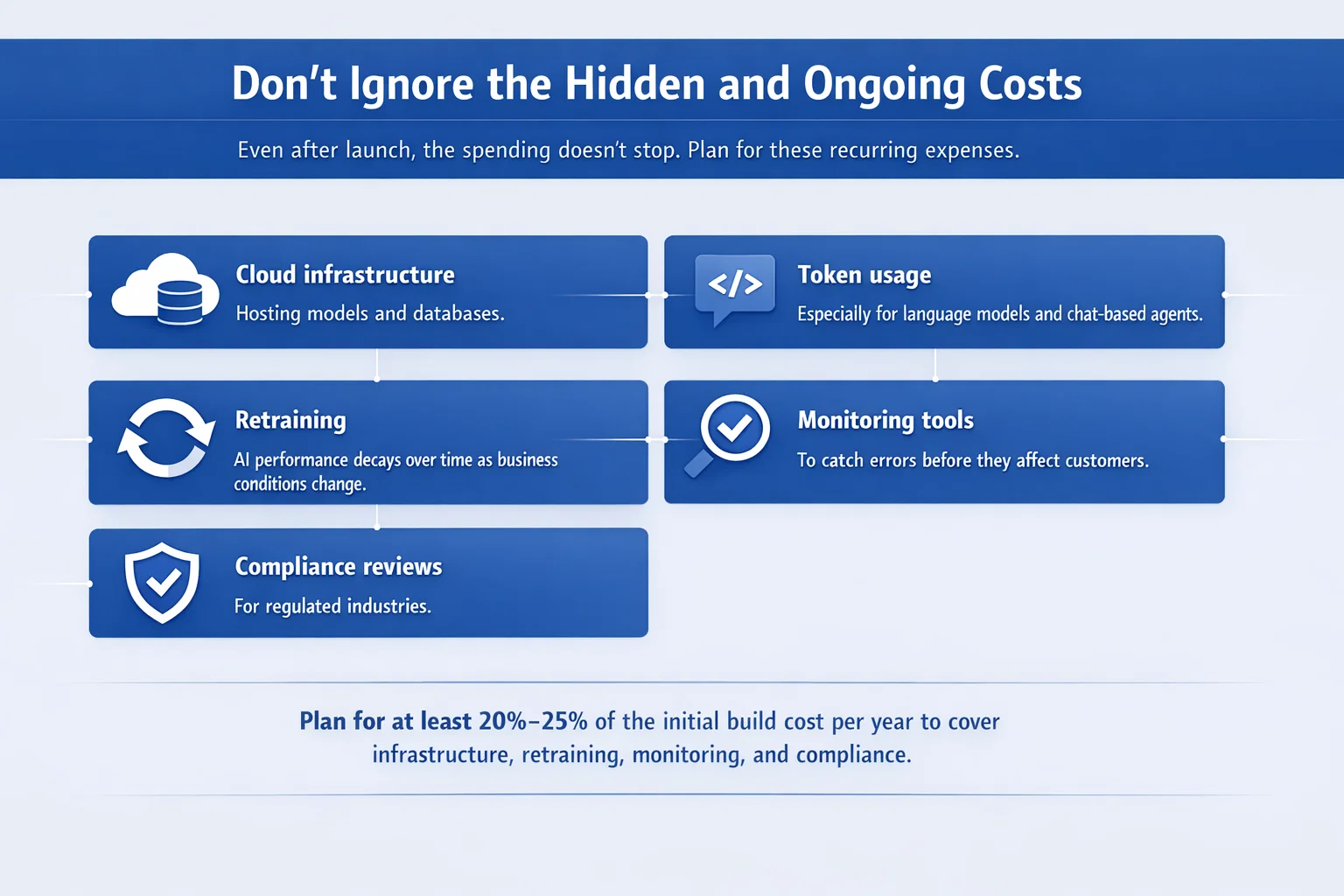
Don’t Ignore the Hidden and Ongoing Costs
Even after launch, the spending doesn’t stop. Plan for these recurring expenses:
- Cloud infrastructure: Hosting models and databases.
- Token usage: Especially for language models and chat-based agents.
- Retraining: AI performance decays over time as business conditions change.
- Monitoring tools: To catch errors before they affect customers.
- Compliance reviews: For regulated industries.
Plan for at least 20%-25% of the initial build cost per year to cover infrastructure, retraining, monitoring, and compliance.
Startups vs Enterprises: Two Different Games
How much you’ll spend on a custom AI agent also depends on what kind of organization you are. Startups and enterprises approach these projects with very different goals, constraints, and risk tolerance. The tools might be similar, but the mindset, scope, and budget look pretty different once you dig in. Here’s how that usually plays out on both sides.
For Startups:
- Budget: $20K – $60K
- Focus: One narrow task done really well
- Approach: Fast, scrappy, and flexible
- Tooling: Mostly off-the-shelf APIs
Startups typically build agents to solve very specific pain points, like speeding up onboarding, automating support triage, or handling routine customer queries.
For Enterprises:
- Budget: $150K+
- Focus: Full workflows, often across teams or departments
- Approach: Structured, long-term planning
- Tooling: Custom-built, often multi-agent systems
Enterprises care more about governance, failure modes, and integration with legacy systems. They’re not just saving time – they’re protecting operations.
How to Think About ROI (Without the Buzzwords)
Don’t get distracted by the hype. Before investing in an AI agent, it’s worth asking what real problem it’s solving and how much that problem is costing you today. Think about how you’ll measure improvement once the agent is live. Will the impact be a one-time efficiency boost, or will it keep growing over time?
The most useful agents either free up hours of repetitive work or reduce risk by catching mistakes before they become expensive. In the end, you’re not just paying for code, you’re paying for leverage that helps your team work smarter.
Final Thoughts
Custom AI agents are an investment. Sometimes small, sometimes serious. But they’re not magic. The cost is tied directly to what you want them to do, how well you want them to do it, and how seamlessly they need to operate inside your business.
If you’re clear on the job your agent is meant to do, realistic about the data you have, and willing to build for the long haul, not just the launch, you’ll come out ahead.
Building one right doesn’t mean spending the most. It means spending smart.
FAQ
1. Can I build a custom AI agent for less than $30,000?
Yes, especially for simpler agents handling tasks like document search, scheduling, or basic customer queries. Many small projects stay under $30,000.
2. Why do prices jump so much with “autonomy”?
Because autonomy isn’t just a smarter bot – it’s a system that makes decisions, evaluates outcomes, and adapts without human input. That requires more logic, safety checks, planning loops, and testing. You’re paying for trust, not just code.
3. How long does it take to develop a mid-range AI agent?
If we’re talking about a workflow agent in the $50K – $100K range, expect a timeline of about 2 to 4 months. That includes planning, design, development, testing, and rollout. Of course, if your internal systems are complex or your data needs work, things can take longer.
4. What’s the biggest hidden cost that catches people off guard?
Data cleanup. It’s easy to underestimate how messy internal data can be – scattered formats, inconsistent entries, outdated records. Preparing it for model training can take up more time and budget than people expect.
5. Can I use a pre-trained language model and still call it a custom agent?
Absolutely. Many custom agents are built using existing models like GPT or similar under the hood. What makes it custom is the surrounding logic, how it’s trained or fine-tuned, how it interacts with your systems, and how it’s packaged for your use case.
6. Should I expect to pay extra each year after the build is done?
Yes. It’s smart to plan for 20% to 25% of the initial build cost annually to cover maintenance, infrastructure, retraining, and compliance.
 English
  German
  Arabic
  French
  Dutch
Dutch  Spanish