
Every few months, a new AI tool shows up claiming to change how we work. Most of them feel like small upgrades to something we already know. OpenClaw is different, mostly because it tries to move beyond the idea of a chatbot entirely. Instead of waiting for prompts in a browser tab, it runs as an autonomous AI agent that can connect to your files, apps, and messaging platforms, then carry out tasks on its own.
That promise is exactly why it has spread so quickly through developer communities. For some, it feels like the first real step toward a personal AI assistant that actually does things rather than just suggesting them. For others, it raises uncomfortable questions about security, control, and how much access an AI should really have. To understand why OpenClaw has become such a talking point, it helps to start with a simple question: what is it actually designed to do, and why does it feel different from everything that came before it.
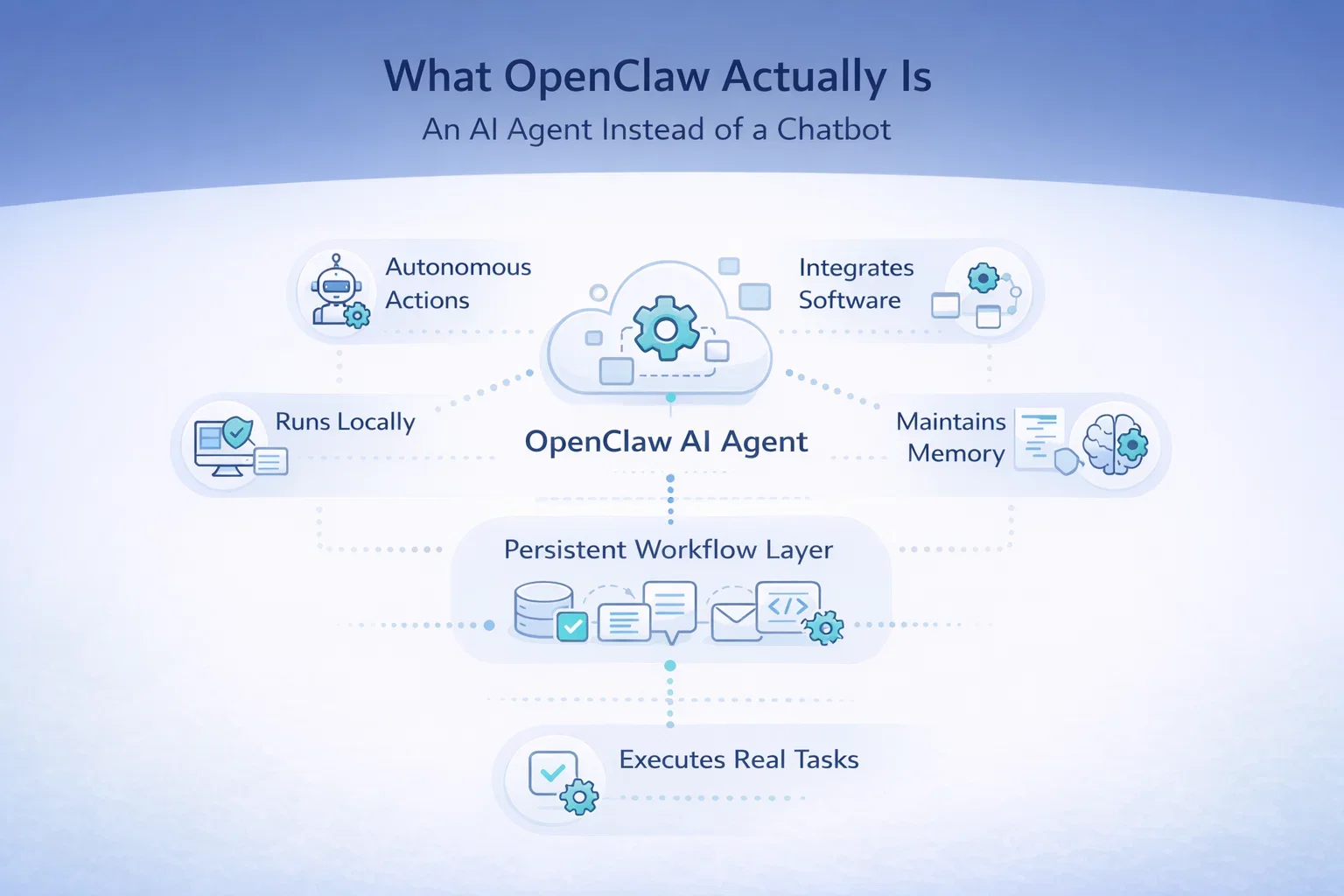
What OpenClaw Actually Is
An AI Agent Instead of a Chatbot
OpenClaw is an open source autonomous AI agent designed to connect language models with real software environments. Unlike traditional AI assistants that live inside a single interface, OpenClaw runs as a persistent system that interacts with files, applications, and services across a user’s environment.
In simple terms, it acts as a bridge between AI models and real tasks. Instead of generating suggestions, it can execute actions when given permission. That might include organizing files, interacting with messaging platforms, running scripts, or coordinating workflows across multiple tools.
A Layer Inside Your Workflow
This is why many early users describe it less as an app and more as a layer that sits between the user and their digital environment. The AI becomes part of the workflow rather than a separate tool. Rather than switching between tools and asking for help at each step, the agent can operate across those tools continuously.
What Makes OpenClaw Different
A few characteristics define how OpenClaw differs from typical AI tools:
- It runs locally or on self-hosted infrastructure rather than relying entirely on cloud interfaces
- It maintains memory and context across conversations
- It connects to external tools and integrations instead of operating in isolation
- It focuses on task execution rather than conversation alone
These elements together explain why the project gained attention so quickly. It feels closer to an assistant that works continuously instead of one that waits to be asked.
How OpenClaw Works in Practice
Under the surface, OpenClaw combines several components that allow it to operate as an autonomous system. The architecture is not overly complicated, but the way the parts interact creates new possibilities.
At the center is a gateway that connects AI models to tools and data sources. This gateway allows the agent to read files, interact with applications, or execute commands within a controlled environment. The agent runtime then interprets instructions, manages ongoing tasks, and decides when actions should occur. Communication happens through familiar interfaces such as messaging platforms, which makes interaction feel natural rather than technical.
Another important element is persistent memory. OpenClaw stores preferences and instructions locally, allowing it to remember context over time. The assistant becomes more tailored to the user as it continues running, which is part of what makes it feel different from session-based AI tools.
The system is also model agnostic. Users can connect different AI providers through APIs or run local models entirely on their own machines. That flexibility appeals strongly to developers who want control over both data and infrastructure.
Why OpenClaw Spread So Quickly
The speed of OpenClaw’s adoption surprised many observers, but the reasons become clearer when you look at the timing and the community around it.
AI agents were already becoming a popular idea. Developers were experimenting with automation frameworks and looking for ways to move beyond chat interfaces. OpenClaw arrived at exactly the right moment with something tangible people could install and test immediately.
Several Factors
- Open source access allowed developers to modify and extend it freely
- Early demos showed real automation instead of theoretical examples
- Integration with existing tools made it easy to experiment without changing workflows
- The idea of a constantly running AI assistant captured imagination quickly
The project also benefited from social momentum. When users started sharing examples of agents completing tasks autonomously, the concept spread faster than traditional software launches usually allow.
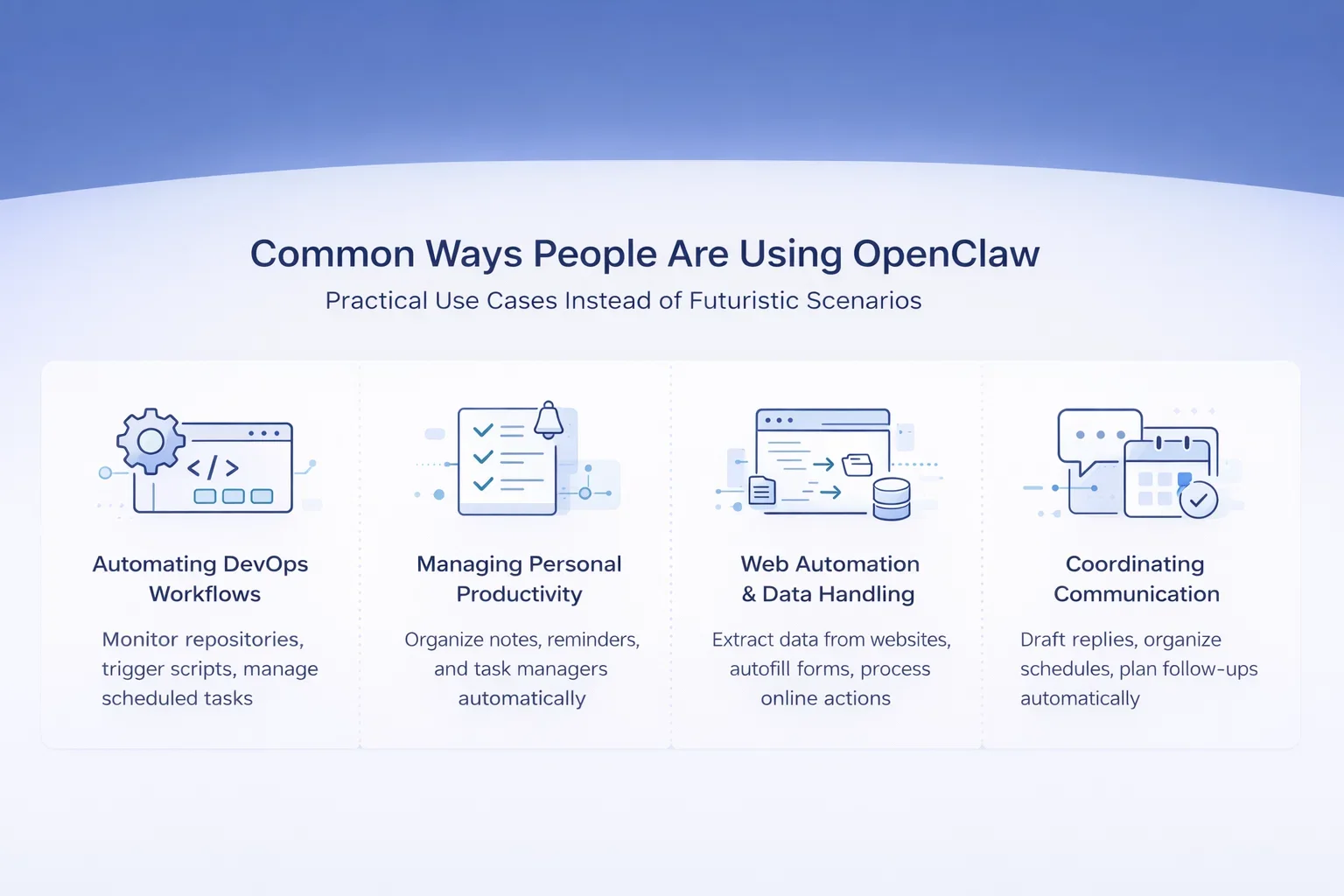
What People Are Using OpenClaw For
Practical Use Cases Instead of Futuristic Scenarios
Despite the hype, most real-world usage remains practical rather than futuristic. OpenClaw tends to work best when handling structured tasks that follow predictable patterns. The most successful examples are not dramatic AI demonstrations but small automations that remove friction from everyday digital work.
Developers use it to automate technical workflows such as monitoring repositories, running scripts, or coordinating repetitive processes. Productivity-focused users connect it to notes, reminders, and task managers so routine digital work happens automatically in the background.
Common Ways People Are Using OpenClaw
1. Automating Development and DevOps Routines
Many developers use OpenClaw to handle repetitive technical processes that normally interrupt focused work. This can include monitoring repositories, triggering scripts, managing scheduled tasks, or coordinating workflows that run in the background without constant supervision.
2. Managing Personal Productivity Systems
Another common use involves connecting productivity tools such as notes, reminders, and task managers. Instead of manually organizing information across apps, users allow the agent to structure tasks, update lists, and maintain ongoing context throughout the day.
3. Web Automation and Data Handling
OpenClaw is also used for browser-based automation. Users rely on it to extract information from websites, fill out forms, or perform routine online actions that would otherwise require repeated manual input.
4. Coordinating Communication and Scheduling
Some users connect messaging platforms and calendars so the agent can help manage communication flows. Drafting replies, organizing schedules, or preparing follow-ups becomes part of a continuous workflow rather than separate tasks.
5. Supporting Creative Workflows
Creative users experiment with connecting media and content tools, allowing OpenClaw to assist with organizing assets, preparing drafts, or coordinating publishing steps across different platforms.
Why Repetition Matters More Than Complexity
What these examples have in common is repetition. OpenClaw excels when the goal is to remove small but frequent manual actions rather than replace human decision making entirely. The value comes from consistency and continuity, not from handing over complex decisions. In practice, it works best as a system that handles the background work while humans stay responsible for direction and judgment.
AI Agent vs Chatbot – Why the Difference Matters
The discussion around OpenClaw often becomes confusing because people compare it directly to chat-based AI tools. The difference is more than technical. It changes the role AI plays in daily work.
A chatbot responds to instructions and stops. An AI agent interprets goals and continues working. That shift moves AI from assistance toward delegation.
For example, asking a chatbot to summarize emails produces text. Asking an agent to manage email might involve sorting messages, drafting replies, and scheduling follow-ups automatically. The system moves from helping to doing.
This distinction explains why OpenClaw feels significant. It suggests a future where software acts continuously rather than reactively. At the same time, it introduces new responsibilities around oversight and permissions.
The Security Concerns Behind the Hype
The same capabilities that make OpenClaw attractive also introduce risk. Security experts have been quick to point out that an AI agent with broad system access creates new vulnerabilities.
If an agent can read files, access messages, and execute commands, it effectively becomes a central control point. Any weakness in configuration or extensions could expose sensitive data or allow unintended actions. Early deployments have already revealed cases where exposed instances leaked credentials or allowed unauthorized access.
Some of the most common concerns include:
- Excessive permissions granted for convenience
- Vulnerable or malicious extensions in community registries
- Long-term storage of sensitive data or credentials
- Autonomous execution without sufficient oversight
Even supporters of the project acknowledge that careful configuration is essential. For now, OpenClaw is widely viewed as a powerful experimental tool rather than a fully mature enterprise solution.
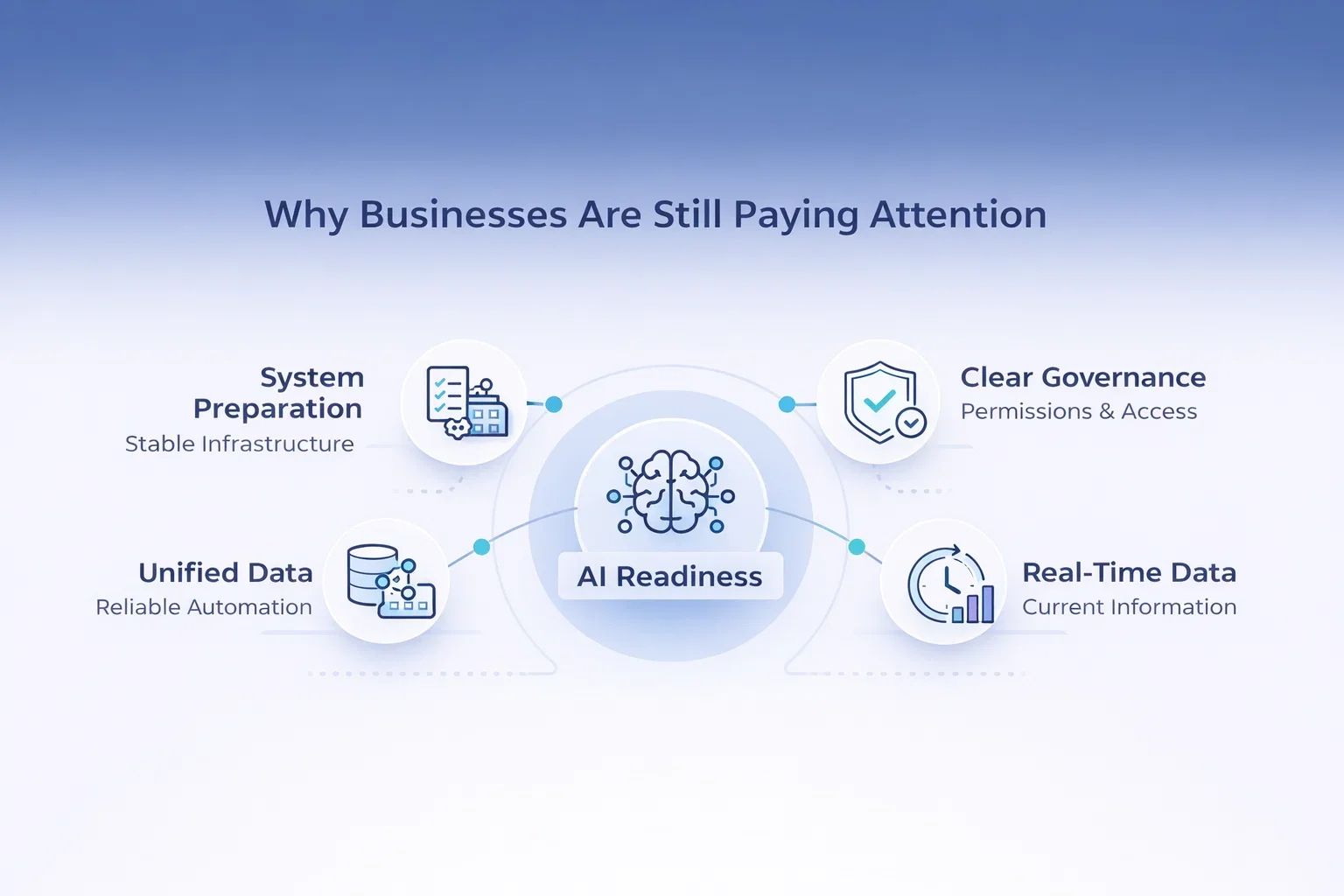
Why Businesses Are Still Paying Attention
Despite these concerns, organizations are watching closely. OpenClaw highlights a broader reality about AI adoption that many companies are beginning to recognize. AI agents do not create intelligence on their own. They amplify the quality of the data they access.
This realization has changed how many teams approach AI discussions. Instead of focusing only on model performance or new capabilities, attention is moving toward the underlying systems that support automation. The question is no longer just what AI can do, but whether the environment around it is ready for autonomous decision making.
The Questions Companies Are Now Asking
In practical terms, companies are asking different questions:
- Is our data unified enough for automation to make reliable decisions
- Do we have clear governance around access and permissions
- Can systems operate on real-time information rather than outdated reports
These questions reflect a growing understanding that AI agents require stable foundations before they can deliver meaningful value.
A Lesson Bigger Than OpenClaw
OpenClaw has become an example of what happens when powerful AI meets imperfect data environments. The lesson extends far beyond one tool. For many organizations, it serves as an early signal that successful AI adoption will depend as much on preparation and structure as on the technology itself.
The Role of Open Source in Its Momentum
OpenClaw’s open source nature is central to its identity. Developers can inspect the code, build integrations, and contribute new capabilities. This accelerates innovation and encourages experimentation in ways closed platforms rarely allow.
At the same time, openness introduces unpredictability. Community-driven ecosystems grow quickly, and quality control becomes uneven. Some integrations are well built, others less so. Security oversight struggles to keep pace with expansion.
This tension is not unusual. Many influential technologies begin in open environments where experimentation comes first and stability follows later.

AI Superior: How We Help Businesses Turn AI Into Real Results
At AI Superior, we don’t treat OpenClaw as the end product – we treat it as an early sign of how AI systems will be run and managed going forward. Autonomous agents are powerful, but real value only appears when AI is built on solid foundations. That is where we focus our work. We help companies move from experimentation to practical implementation by designing AI systems that solve real business problems instead of adding complexity.
Our approach starts with understanding how data flows through an organization and where intelligence can actually improve decisions or efficiency. From AI consulting and custom software development to research and implementation, we build solutions that integrate naturally into existing workflows. Many of our projects begin with a proof of concept, allowing teams to validate ideas early before scaling them into production environments.
We combine deep technical expertise with a collaborative process. Our teams of data scientists and engineers work closely with clients to ensure transparency at every stage, from discovery to deployment. Whether the goal is predictive analytics, computer vision, natural language processing, or data-driven automation, we focus on creating AI solutions that remain reliable, adaptable, and valuable long after the initial launch.
Final Thoughts
OpenClaw became popular because it crossed a threshold. It showed that AI could move beyond conversation and into action. That shift feels small when described in technical terms, but it changes how software fits into everyday work.
The excitement around it makes sense. So do the concerns. Autonomous systems introduce efficiency, but they also demand stronger security thinking and better data foundations. In many ways, OpenClaw is less a finished product and more a preview of what comes next.
AI is no longer just helping people produce answers faster. It is beginning to execute tasks on their behalf. The real challenge now is making sure that power develops alongside responsibility, not ahead of it.
Frequently Asked Questions
What is OpenClaw in simple terms?
OpenClaw is an open source AI agent that runs on your own machine or infrastructure and can perform tasks instead of only answering questions. It connects AI models with files, applications, and messaging platforms so actions can be executed through natural language instructions.
How is OpenClaw different from a chatbot?
A chatbot responds to prompts and stops after generating an answer. OpenClaw operates as an agent that can continue working, execute tasks, and maintain context over time. The focus is on automation and action rather than conversation alone.
Is OpenClaw free to use?
OpenClaw itself is free and open source. However, users may still incur costs depending on the AI models or cloud infrastructure they choose to connect. For example, API usage or hosting environments can introduce separate expenses.
Can OpenClaw run locally?
Yes. One of OpenClaw’s main characteristics is that it can run locally on macOS, Windows, or Linux systems. Users can also deploy it on self-hosted or cloud infrastructure depending on performance and availability needs.
Is OpenClaw safe to use?
OpenClaw can be safe when configured carefully, but it currently requires technical knowledge. Because it can access files, messaging platforms, and external services, incorrect permissions or insecure setups can create risks. Many experts recommend using it cautiously and avoiding sensitive environments until security practices mature further.
 English
  German
  Arabic
  French
  Dutch
Dutch  Spanish